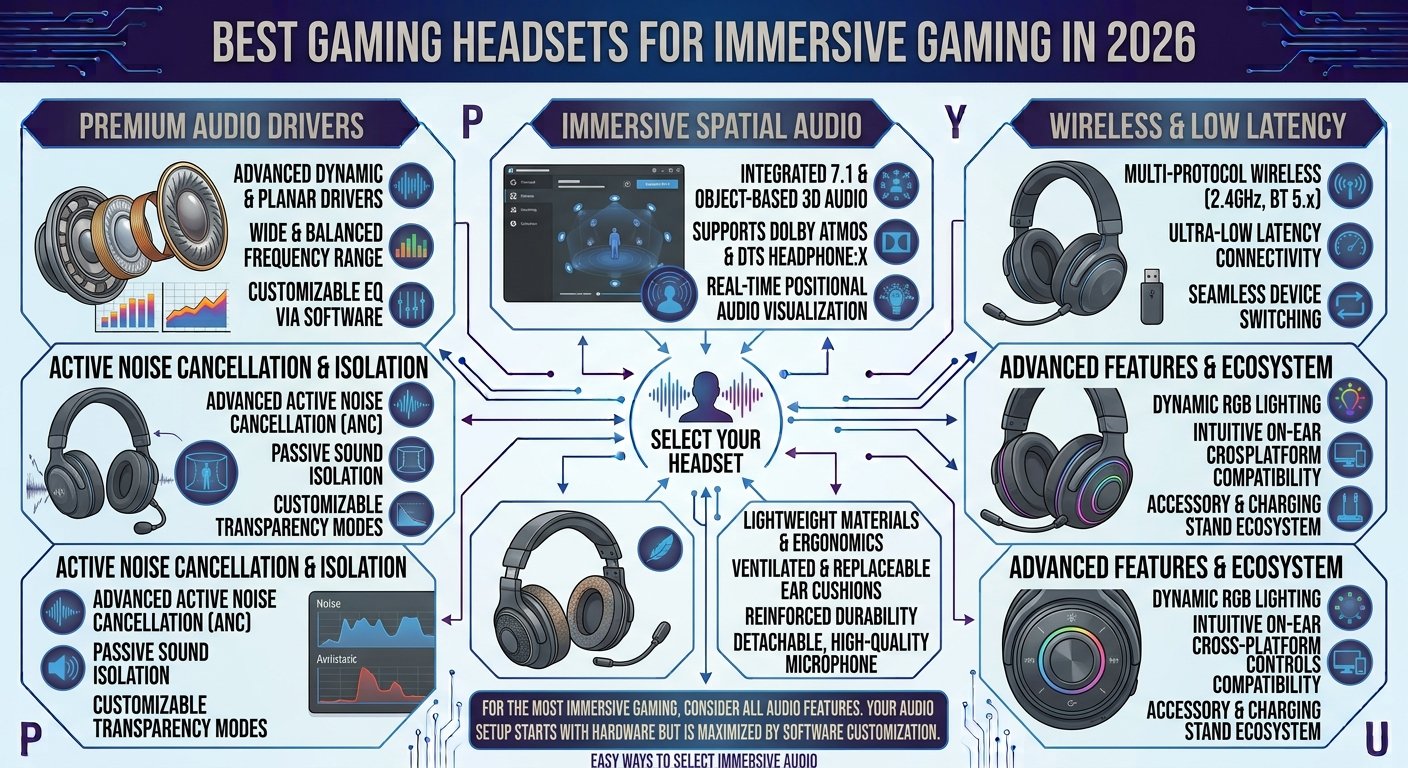
Best Gaming Headsets for Immersive Gaming in 2026
A good gaming headset can completely change the way you experience your favorite games. While a monitor delivers the visuals, a quality headset brings the world around you to life with detailed sound, directional audio, clear communication, and powerful immersion. Whether you are playing competitive shooters, exploring an open-world adventure, racing at high speed, or enjoying a horror game, the right headset can make every moment more engaging.
In 2026, gaming headsets are available with a wide range of features, including wireless connectivity, surround sound, spatial audio, noise cancellation, detachable microphones, comfortable ear cushions, and customizable software. However, having more features does not automatically mean a headset is better. The best choice depends on your gaming platform, budget, comfort preferences, microphone requirements, and the types of games you play.
This guide explains the most important features to consider when choosing the best gaming headset in 2026 and how to find a headset that delivers an immersive gaming experience.
1. Choose a Headset With High-Quality Audio
Sound quality should be one of your highest priorities when buying a gaming headset. A good headset should produce clear highs, detailed mid-range sounds, and strong but controlled bass. This allows you to hear everything from footsteps and gunfire to environmental sounds and dialogue.
For immersive gaming, balanced audio is usually more useful than extremely powerful bass. Excessive bass can sometimes hide smaller sounds that are important in competitive games. A headset with good sound separation can help you distinguish different sounds and understand where they are coming from, making gameplay more enjoyable and potentially giving you an advantage in competitive situations.
2. Consider Spatial Audio and Surround Sound
Modern gaming headsets can provide spatial audio technologies that make sounds feel as though they are coming from different directions around you. This can be particularly useful in first-person shooters and other games where positioning is important.
Instead of simply hearing a sound, spatial audio can help create a stronger sense of direction and distance. You may be able to recognize whether footsteps are coming from your left, right, front, or behind you. While the quality of spatial audio depends on the headset, game, and software, it can significantly improve immersion when implemented properly.
3. Wired vs Wireless Gaming Headsets
One of the biggest decisions you will make is whether to choose a wired or wireless headset. Wired models generally provide a simple connection without requiring battery charging, and they can be excellent choices for gamers who want reliability and value.
Wireless headsets, on the other hand, offer greater freedom of movement. You can move around your gaming area without dealing with a cable connected to your PC or console. Modern wireless gaming headsets can provide low-latency connections suitable for gaming, although battery life and wireless compatibility should always be considered before purchasing.
4. Look for Low-Latency Wireless Connectivity
If you choose a wireless gaming headset, latency is an important factor. Audio that arrives noticeably late can be distracting, especially in fast-paced competitive games.
Gaming-focused wireless headsets often use dedicated wireless transmitters designed to reduce latency compared with some general Bluetooth connections. Before buying, check which wireless technologies the headset supports and make sure they are compatible with your gaming platform. Low-latency wireless connectivity can give you the convenience of wireless gaming without significantly affecting audio responsiveness.
5. Comfort Is Essential for Long Gaming Sessions
A gaming headset can have excellent sound quality, but it is not a good headset if it becomes uncomfortable after 30 minutes. Many gamers spend several hours playing, so comfort should be treated as an important feature rather than an optional extra.
Look for soft ear cushions, a comfortable headband, suitable clamping pressure, and adjustable components. Lightweight headsets can be particularly comfortable for long sessions. However, the ideal fit is different for everyone, so consider the headset’s shape and size before buying.
6. Choose the Right Ear Cushion Material
Ear cushion material can affect both comfort and sound isolation. Memory foam cushions can provide a soft fit around the ears, while fabric-covered cushions may feel cooler during extended sessions. Synthetic leather cushions can provide good passive noise isolation but may feel warmer over time.
Your gaming environment should influence your choice. If you play in a warm room for several hours, breathable materials may be more comfortable. If you need stronger isolation from outside sounds, thicker closed-back cushions may be preferable.
7. A Good Microphone Matters for Multiplayer Gaming
For multiplayer games, communication can be just as important as audio quality. A clear microphone allows teammates to understand your instructions without excessive background noise or distortion.
Look for a headset with a microphone that produces clean and natural voice audio. Features such as microphone noise reduction, a flip-to-mute mechanism, detachable microphones, and microphone monitoring can also be useful. If you frequently play team-based games, a good microphone should be considered an essential part of the headset.
8. Consider a Detachable or Retractable Microphone
Some gaming headsets feature detachable microphones, while others use retractable or foldable designs. These options are useful if you also want to use the headset for music, travel, or general computer use.
A detachable microphone can be removed when you do not need voice communication, making the headset look and feel more like a traditional pair of headphones. Retractable microphones offer similar convenience while remaining attached to the headset. Both designs can be excellent depending on your preferences.
9. Check Platform Compatibility
Not every gaming headset works equally well with every platform. Before buying, check whether the headset supports your intended device, such as a Windows gaming PC, PlayStation, Xbox, Nintendo Switch, or mobile device.
Some headsets support multiple platforms, while others are designed specifically for certain systems. Wireless compatibility can be particularly important because different platforms may use different connection methods. Checking compatibility before purchase can prevent unnecessary problems later.
10. Battery Life Matters for Wireless Headsets
Wireless freedom is convenient, but every wireless headset eventually needs to be charged. Battery life therefore becomes an important consideration.
If you regularly play long gaming sessions, look for a headset with enough battery capacity to last through your typical usage. Some models also support quick charging, allowing you to get additional gaming time after a short charging period. A headset with poor battery life can quickly become frustrating, even if its audio quality is excellent.
11. Active Noise Cancellation Can Improve Immersion
Active noise cancellation, commonly known as ANC, uses microphones and electronic processing to reduce certain external sounds. This feature can be useful if you game in a noisy environment.
Noise cancellation can help reduce distractions such as fans, air conditioners, conversations, or general background noise. However, ANC is not necessary for every gamer. If you already have a quiet gaming room, a well-designed closed-back headset may provide sufficient isolation without requiring active noise cancellation.
12. Open-Back vs Closed-Back Gaming Headsets
The design of the headset also affects the sound experience. Closed-back headsets block more external noise and prevent more sound from escaping. They are popular among gamers who want focused audio and strong immersion.
Open-back headphones allow more airflow and create a more natural, spacious soundstage. They can be excellent for immersive single-player games and general listening, but they provide less isolation and allow sound to escape. Your environment should determine which design is most appropriate.
13. Look for Good Soundstage
Soundstage refers to how spacious the audio feels. A strong soundstage can make the game world feel larger because sounds appear to occupy different positions around you.
This can be particularly enjoyable in open-world games, racing titles, simulations, and atmospheric adventures. Competitive players can also benefit from good positional imaging, which helps identify the direction of individual sounds. Soundstage and imaging are therefore important considerations when choosing a headset for immersive gaming.
14. Gaming Software Adds Extra Customization
Many gaming headsets come with companion software that allows you to customize different audio features. Depending on the headset, you may be able to adjust equalizer settings, microphone levels, surround sound, lighting, and other controls.
Software customization can help you create different profiles for different games. For example, you might prefer a balanced audio profile for story-driven games and a more detailed profile for competitive shooters. Having customization options allows you to adjust the headset according to your personal preferences.
15. Do Not Ignore Build Quality
Gaming headsets are frequently moved, adjusted, and used for long periods, so durability matters. A headset with weak hinges, poor-quality materials, or a fragile headband may not last very long.
Look for a sturdy construction that can handle regular use. This does not mean the headset needs to be extremely heavy. Ideally, it should combine durability with a comfortable design. A strong build can make a headset a better long-term investment.
16. Consider the Weight of the Headset
Weight can have a noticeable effect on comfort. A heavy headset may feel fine initially but become uncomfortable during long gaming sessions.
Lightweight designs are often easier to wear for several hours, especially when combined with a comfortable headband and soft ear cushions. However, weight should not be the only factor. A slightly heavier headset can still be comfortable if its weight is distributed properly.
17. Choose a Headset Based on Your Gaming Style
Different gamers need different headset features. Competitive FPS players may prioritize directional audio, low latency, microphone clarity, and comfort. Single-player gamers may care more about soundstage, bass, spatial audio, and overall immersion.
Racing gamers may want detailed engine and environmental sounds, while horror gamers may benefit from excellent positional audio and strong noise isolation. Think about the games you play most frequently before deciding which headset features matter most.
18. Set a Realistic Gaming Headset Budget
Gaming headsets are available at many different prices. Spending more can provide better materials, audio performance, microphones, wireless features, or software customization, but expensive does not always mean better for your particular needs.
Set a budget before shopping and prioritize the features that matter most. If you mainly play casual games, a reasonably priced headset may provide everything you need. Competitive players or enthusiasts may benefit from investing more in sound quality, microphone performance, comfort, and wireless technology.
19. Avoid Buying a Headset Just Because It Has RGB
RGB lighting can make a gaming setup look impressive, but it does not improve audio quality. If you have a limited budget, your money is generally better spent on sound, comfort, microphone quality, durability, and connectivity.
RGB can certainly be a fun bonus if you enjoy a colorful gaming setup. However, it should not be the main reason you choose one headset over another. Performance should always come before appearance.
20. Test Comfort and Audio When Possible
If you have the opportunity to test a headset before purchasing it, pay attention to several things. Listen for balanced sound, check whether voices are clear, test directional audio, and see how comfortable the ear cushions feel.
Wear the headset for several minutes and notice whether there is excessive pressure around your ears or head. Also test the microphone if possible. A few minutes of testing can reveal comfort issues that specifications alone cannot show.
Best Gaming Headset Features to Look For in 2026
When comparing gaming headsets, consider the following features:
| Feature | Why It Matters |
|---|---|
| High-quality audio | Provides clear and detailed game sounds |
| Spatial audio | Improves directional awareness and immersion |
| Low latency | Keeps audio responsive during gameplay |
| Wireless connectivity | Provides freedom from cables |
| Long battery life | Supports extended gaming sessions |
| Comfortable cushions | Reduces discomfort over time |
| Clear microphone | Improves multiplayer communication |
| Noise isolation | Reduces distracting external sounds |
| Durable construction | Helps the headset last longer |
| Platform compatibility | Ensures it works with your gaming device |
| Custom software | Allows audio and microphone adjustments |
| Lightweight design | Improves long-session comfort |
How to Choose the Best Gaming Headset in 2026
The best gaming headset is not necessarily the most expensive model. Instead, look for the combination of features that matches your gaming habits. Start by deciding whether you prefer wired or wireless connectivity. Then consider audio quality, microphone performance, comfort, platform compatibility, battery life, and your budget.
If competitive gaming is your priority, focus on low latency, accurate positional audio, microphone clarity, and comfort. If immersive single-player games are more important, pay closer attention to soundstage, spatial audio, bass response, and noise isolation. For gamers who use multiple devices, a versatile headset with broad compatibility may be the better choice.
Final Thoughts
Choosing the best gaming headset for immersive gaming in 2026 is about finding the right balance between sound quality, comfort, connectivity, microphone performance, and price. A quality headset can make footsteps easier to identify, dialogue clearer, environments more atmospheric, and multiplayer communication more effective.
Before purchasing, think about the games you play, the platform you use, how long you normally game, and whether you prefer wired or wireless freedom. Do not focus only on flashy features such as RGB lighting. Instead, prioritize the features that directly improve your gaming experience.
With the right gaming headset, your favorite games can feel more detailed, responsive, and immersive, turning ordinary gaming sessions into a much more engaging experience.